How to export your iNaturalist observations as a CSV
iNaturalist lets anyone download observations as a CSV file, a plain spreadsheet that opens in Excel and loads straight into Stratified. Here's how, and which columns to include.
1. Open iNaturalist's export page
Go to inaturalist.org/observations/export and sign in. Any iNaturalist account works; you can export other people's public observations, not only your own.
2. Choose which observations
In the first section of the page, pick a project, a place or an observer (or a combination), and any other filters such as dates or quality grade. A preview shows how many observations match.
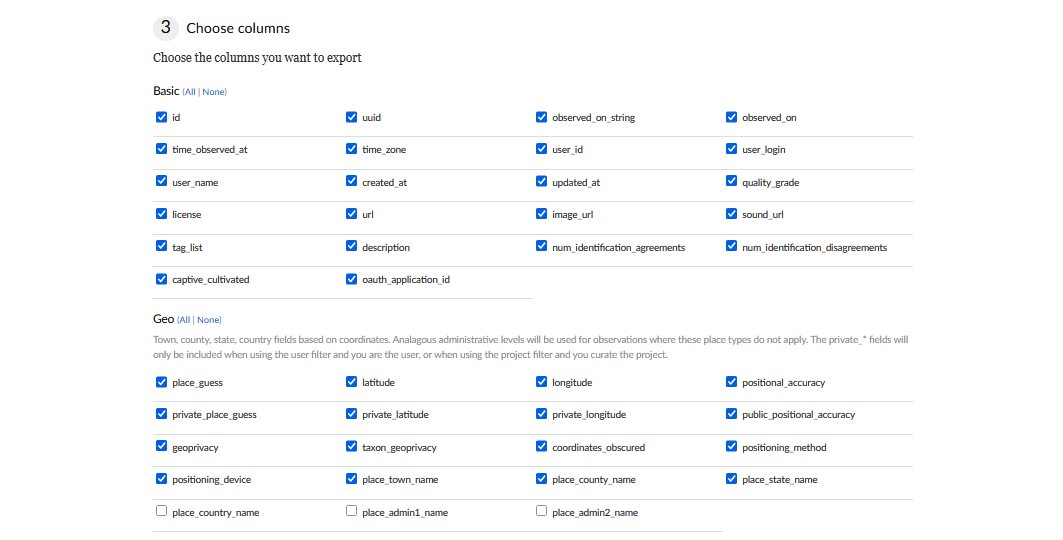
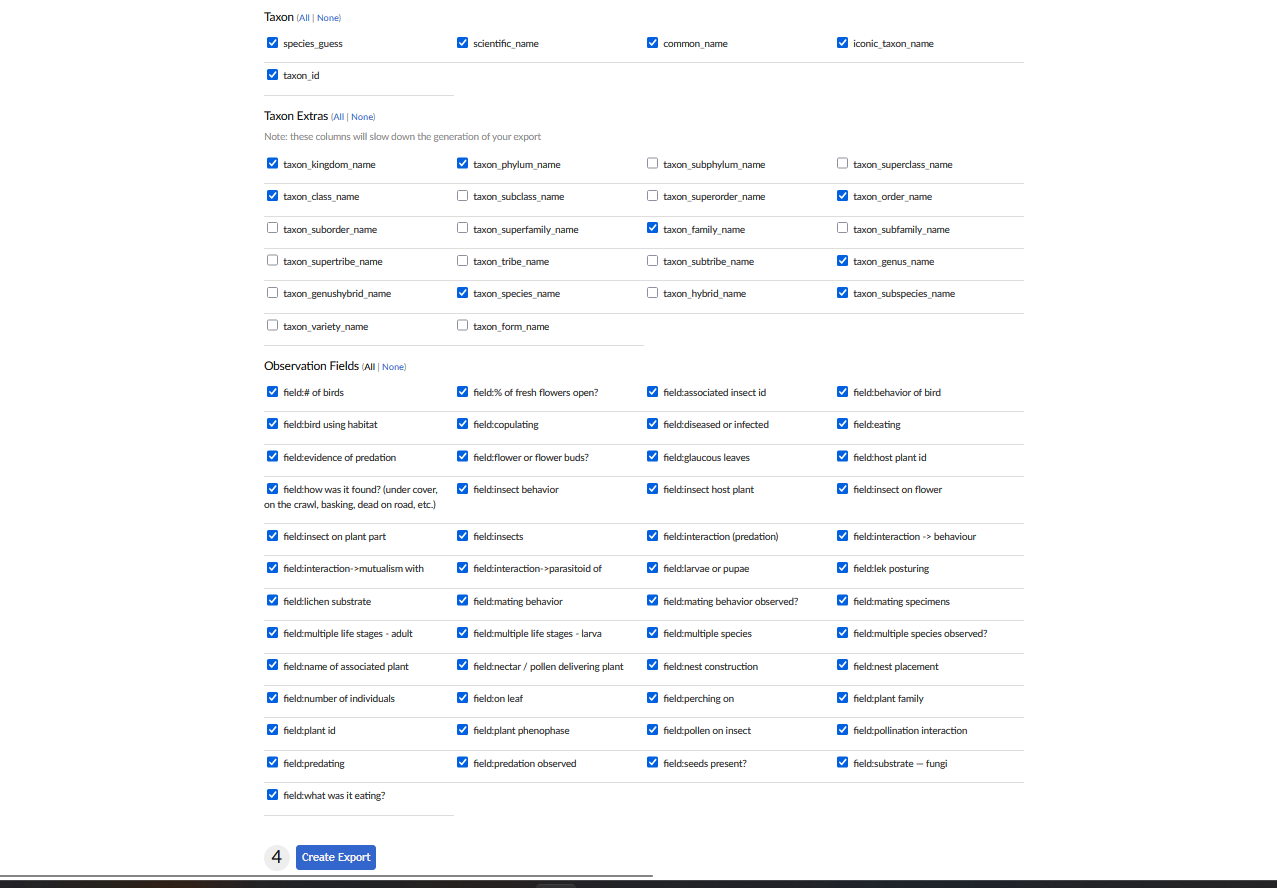
3. Choose the columns
Under Choose columns, tick:
- Basic: All.
-
Geo: at least
place_guess,latitudeandlongitude.place_county_nameandplace_state_nameare useful too. - Taxon: All.
-
Taxon Extras:
kingdom,phylum,class,order,family,genusandspecies. These group the rings of the phenology wheel and power the taxonomy filters. (If you skip them, Stratified can look them up, but it's slower.) - Observation Fields: All. Fields like host plant or nectar plant feed the interaction network.
4. Create the export and download it
Click Create Export. iNaturalist builds the file, which can take a few minutes for a large project. When it's ready, download it from the export page.
5. Load it into Stratified
Open Stratified and drag the file onto the front page, or click Choose a file. The file is read in your browser and stays on your computer. Plant phenophase and life-stage annotations aren't part of the CSV, so Stratified fetches them from iNaturalist automatically (it sends only the observation ID numbers).
Big projects: iNaturalist caps one export at 200,000 observations. Export in date ranges, load the first file, then use + Add another file in Stratified's sidebar to combine the rest.
Small projects: you can skip the CSV entirely. Click Search iNaturalist on Stratified's front page and pull a project, place or observer directly.
Have your CSV? See your observations as phenology wheels, maps and networks.
Open Stratified