What is a phenology wheel?
Phenology is the timing of seasonal events in nature: when plants flower, fruit and leaf out, and when animals are active. A phenology wheel lays the year out as a circle so those patterns show at a glance.
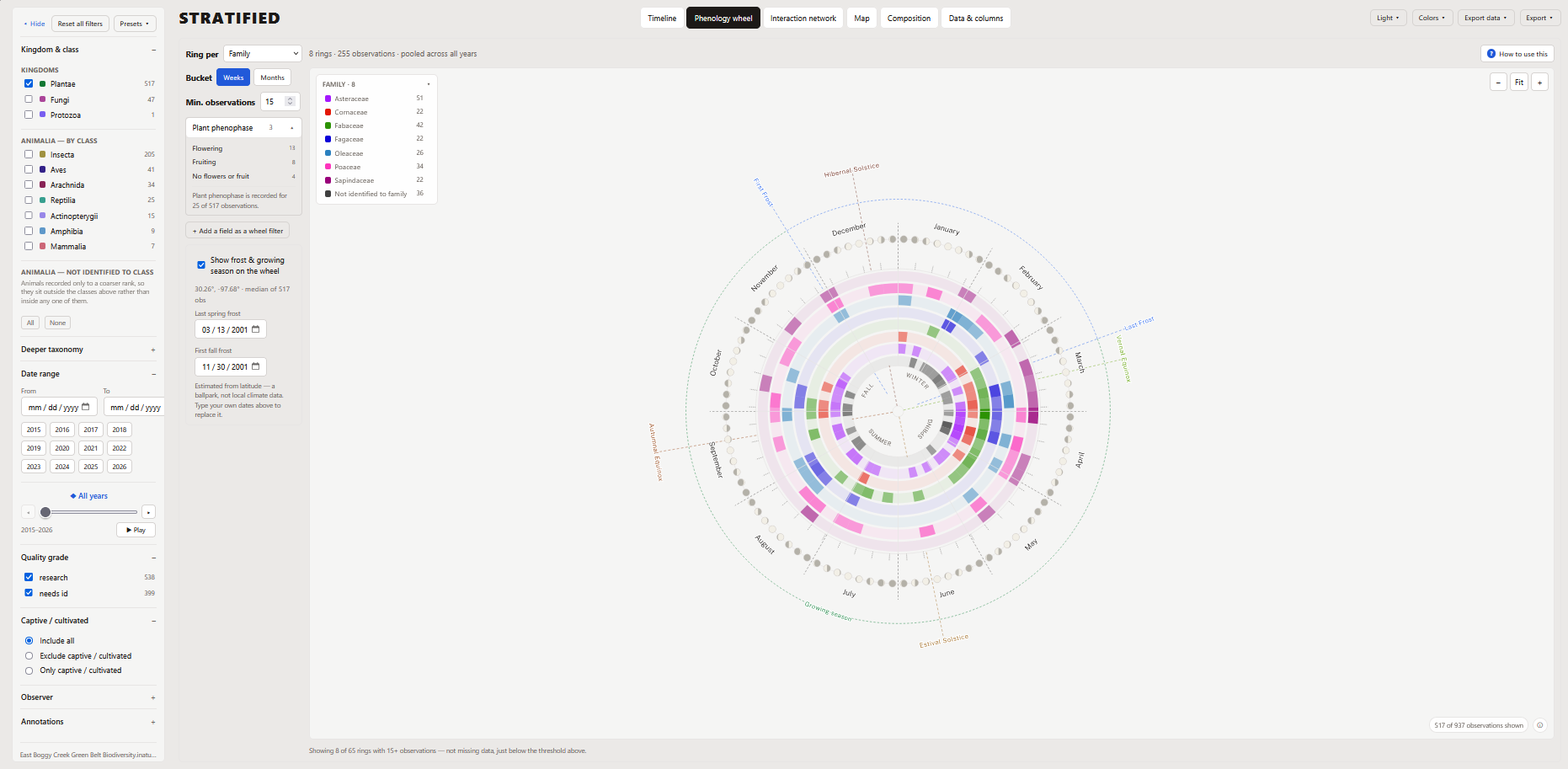
How to read it
- The year runs clockwise, with January at the top, and the months and seasons marked around the circle.
- Each ring is one group: a species, genus or family, or one observer or year.
- Each ring is cut into weeks or months. The darker a segment, the more observations fell in that week or month.
- Context around the edge: solstices and equinoxes, moon phases, and estimated last spring and first fall frost dates with the growing season between them.
Reading around one ring shows a plant's season. Reading across rings shows which plants overlap: useful for planning a planting with something in flower from spring to fall, or for seeing when pollinators have food.
It works for animals too. Rings can be insects, birds, reptiles or any other group you observed, showing when each is active through the year. Put butterflies and their host plants on the same wheel to see whether they line up.
Flowering, fruiting and life stage
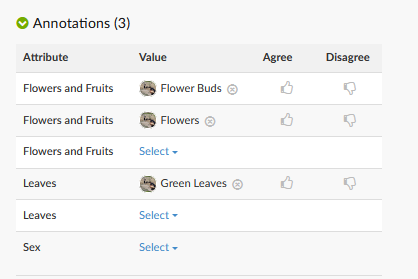
On iNaturalist, anyone can add annotations to an observation: a plant as flowering, fruiting or in bud, and its leaves as budding, green or coloured. This plant observation is a well-annotated example.
Stratified fetches those annotations for you, and you can pick one, such as flowering, to highlight just those observations on the wheel.
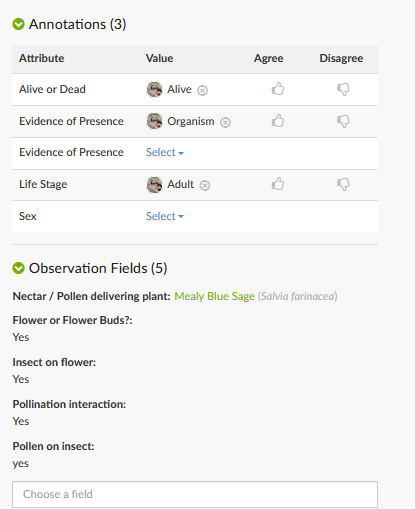
Animals are annotated by life stage (egg, larva, pupa, nymph, juvenile or adult) and sex. Highlight larva or adult on the wheel to see, for example, when caterpillars are feeding versus when the adults are flying.
This insect observation is a model record: annotated as an adult and alive, with observation fields naming the plant it was visiting.
Why your own wheel will have gaps
A wheel built from your site's observations rarely tells a plant's full story for the year. Only observations someone annotated show flowering or fruiting, and many are never annotated. Even a fully annotated plant only appears in the weeks someone happened to record it, so a quiet stretch on the wheel may just mean nobody visited, not that nothing was happening.
Compare with documented timing
For plants, you can fill in those gaps: switch the wheel's source to Documented to shade each plant's flowering, fruiting, budding or leaf-out timing from Phenobase, which pools records from the USA National Phenology Network, NEON and other networks across every year on record. Choose how wide an area to draw from (state, county or ecoregion in the US, and region or province elsewhere), and optionally include photos scored by image-recognition models.
Your own on-site observations are then outlined on top, so you can see at a glance whether a plant at your site flowers earlier or later than is typical for the area.
Make your own
- Open Stratified and either search iNaturalist for a place, project or observer, or load a CSV export (how to export one).
- Choose the Phenology wheel tab.
- Pick what each ring stands for under Ring per, and weeks or months under Bucket.
- Export it as a PDF, SVG, PNG, JPG or TIFF for print, up to 24 × 36 in.
Free, nothing to install, and it runs in your browser.
Make a phenology wheel