Plant–pollinator interaction networks from iNaturalist
An interaction network links animals to the plants they use: for nectar, pollen, as a host for their larvae, or as food. Built from the observations at one site, it shows which plants are doing the most work for wildlife.
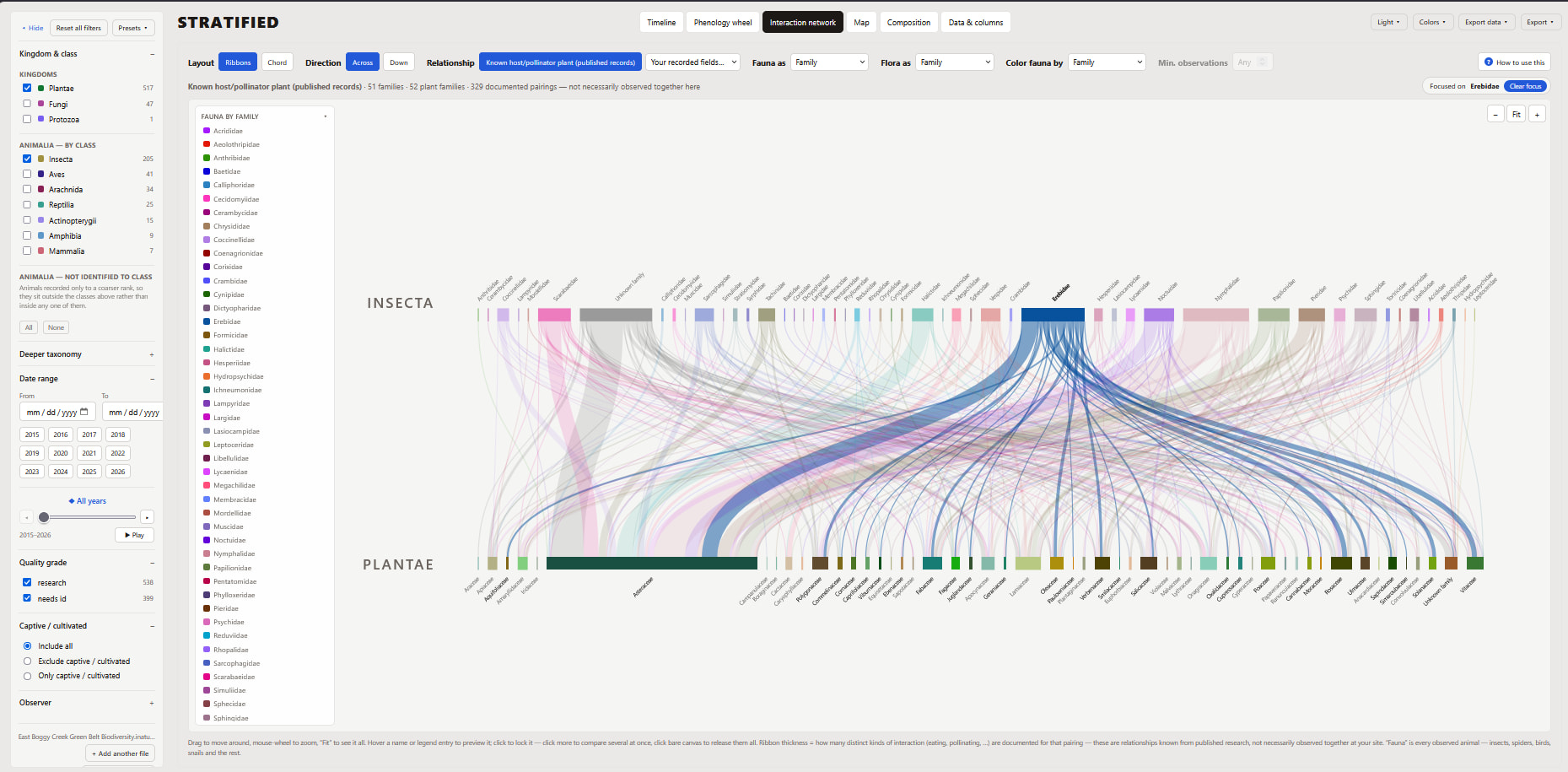
How to read it
- Animals on one side, plants on the other, grouped at the level you choose: species, genus or family.
- A ribbon joins an animal to a plant when there's a record of them interacting. Thicker ribbons mean more support for that pairing.
- Click a name to follow just its links, for example every plant one group of moths depends on.
- Switch between a ribbon layout and a circular chord layout.
Where the links come from
Stratified offers two sources, and you can switch between them:
- Your recorded fields. Many iNaturalist projects use observation fields such as host plant, nectar plant or "insect on flower". When your observations have them, Stratified draws those links directly. See the example below.
- Published records. For any data without those fields, Stratified looks up the animals you observed in GloBI (Global Biotic Interactions), a free database of species interactions from published research. It keeps only the pairings where the plant was also observed at your site. These are known relationships, not necessarily seen together there.
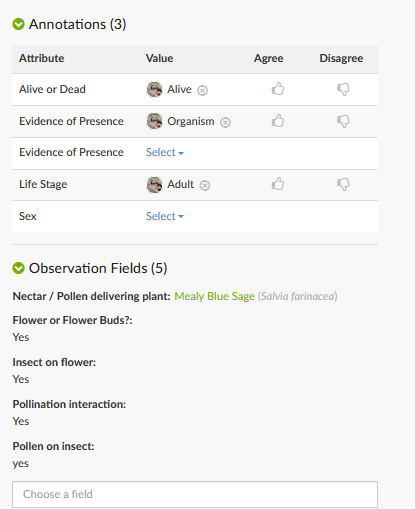
This insect observation is a model record for an interaction network. Its observation fields name the plant it was visiting (Mealy Blue Sage) and record that it was on the flower, carrying pollen. Records like this become ribbons drawn from what was actually seen at your site.
Its annotations (life stage: adult) also feed the phenology wheel.
Why it's useful
For restoration, landscape design and pollinator gardens, the network points to the plants that support the most kinds of animals, and to animals that rely on just one or two plants. Paired with the phenology wheel, it shows both which plants matter and when they're in flower.
Make your own
- Open Stratified and search iNaturalist for a place, project or observer, or load a CSV export (how to export one; tick all Observation Fields).
- Choose the Interaction network tab.
- Pick the relationship source and how to group animals and plants.
- Export it as a PDF, SVG, PNG, JPG or TIFF for a report or poster.
Free, nothing to install, and it runs in your browser.
Make an interaction network